Image 1 of 6
Image 2 of 6
Image 3 of 6
Image 4 of 6
Image 5 of 6
Image 6 of 6
The Instructional Design Toolkit: Everything in one file.
You know what slows down a course build more than anything? Starting from a blank page. Chasing feedback across six email threads. Forgetting to check captions before launch. Rebuilding the same storyboard template you've made a dozen times before.
This toolkit fixes all of that.
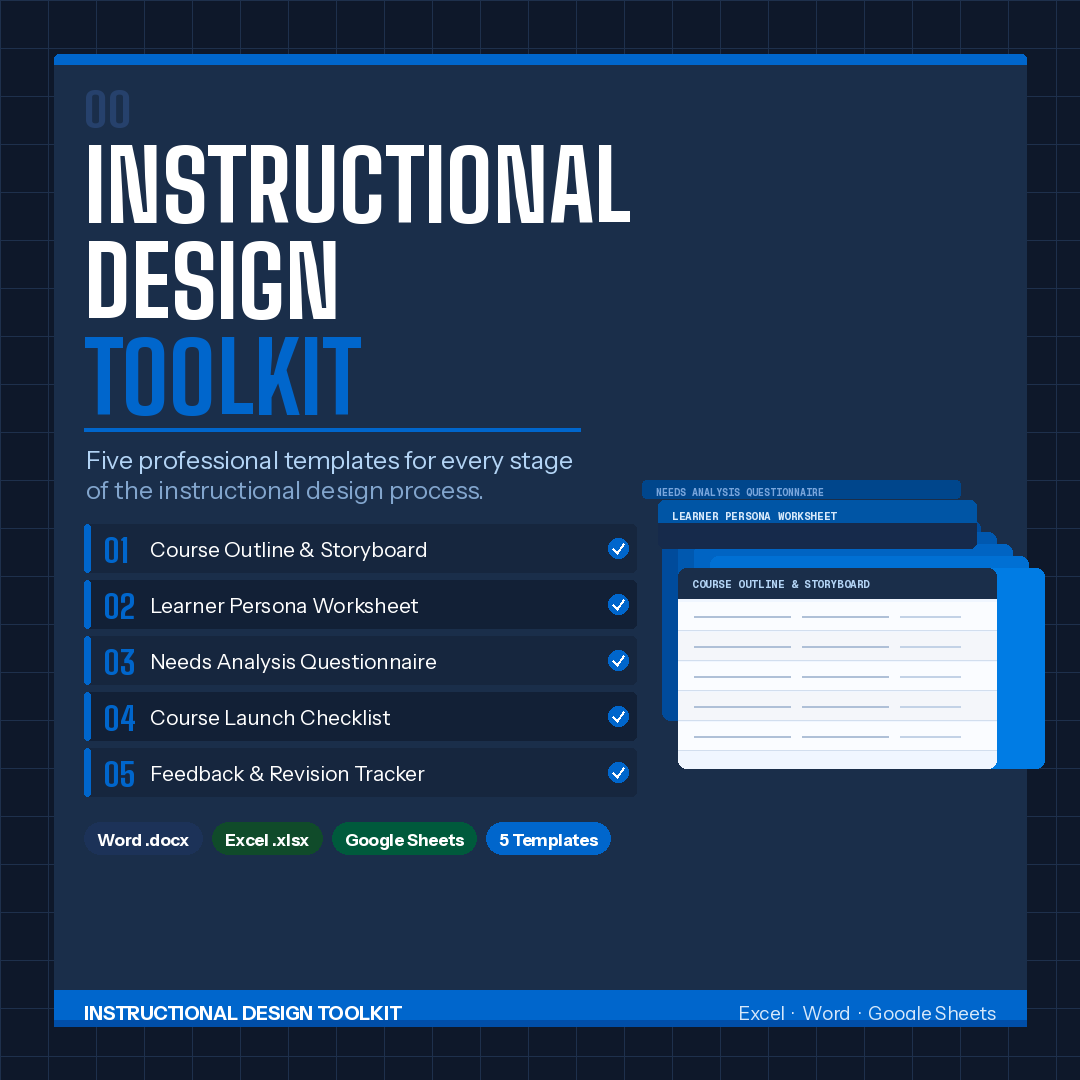
TheInstructional Design Toolkitis a single, ready-to-use Excel and Google Sheets workbook that covers every stage of the course design process from your first client conversation to post-launch sign-off. Open it, fill it in, and stay organized from day one.
Who this is for
Freelance instructional designers managing client projects
In-house L&D teams building eLearning or instructor-led training
Corporate trainers who need a repeatable, professional system
Educators designing structured curriculum
Anyone who has ever lost a round of feedback in their inbox
What's inside: 5 battle-tested tabs
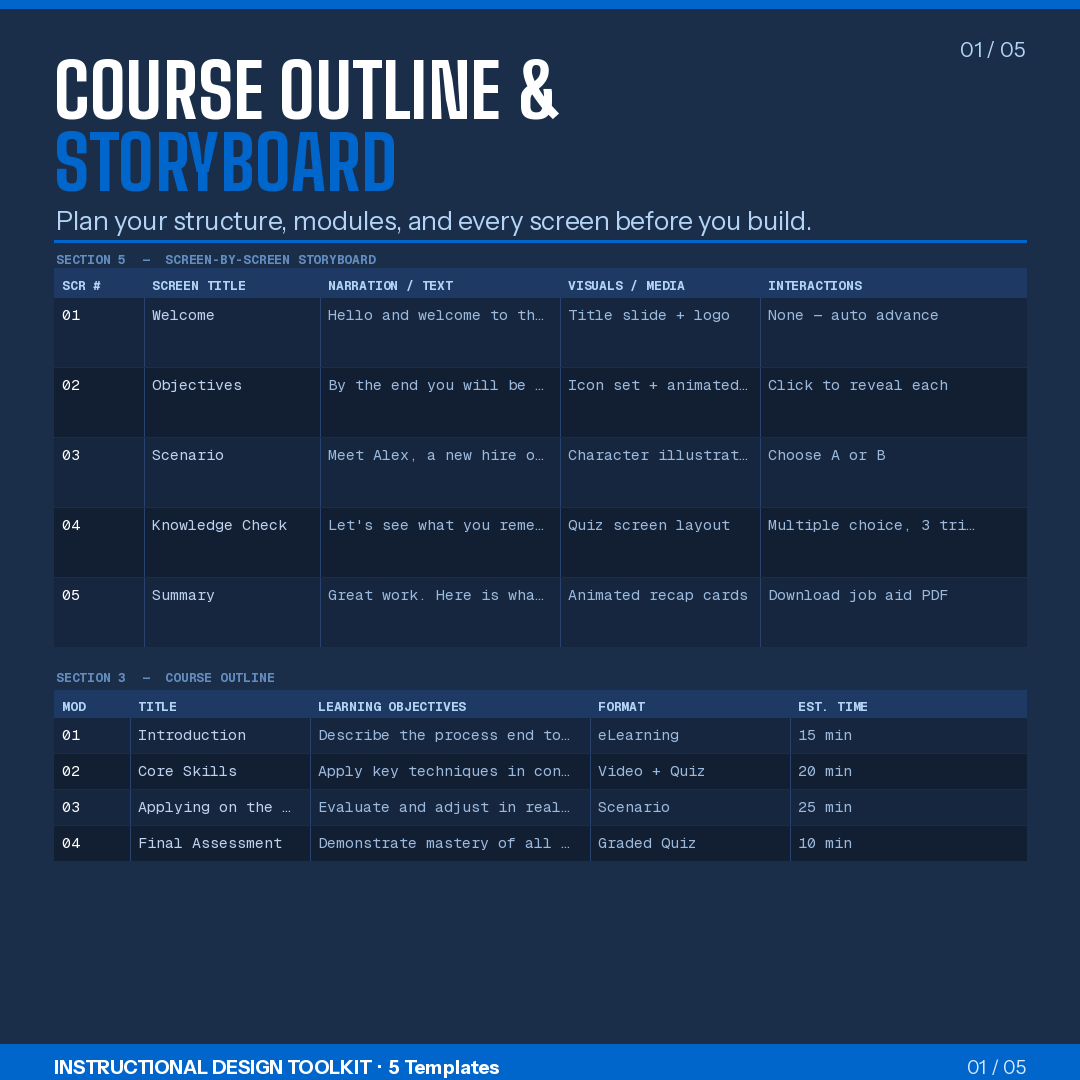
Course Outline & StoryboardEverything your course needs before a single slide gets built. Document your course overview, write learning objectives tied to Bloom's Taxonomy levels with assessment methods, map your full module plan with timing and asset notes, set your assessment and evaluation strategy, and build a screen-by-screen storyboard all in one place.
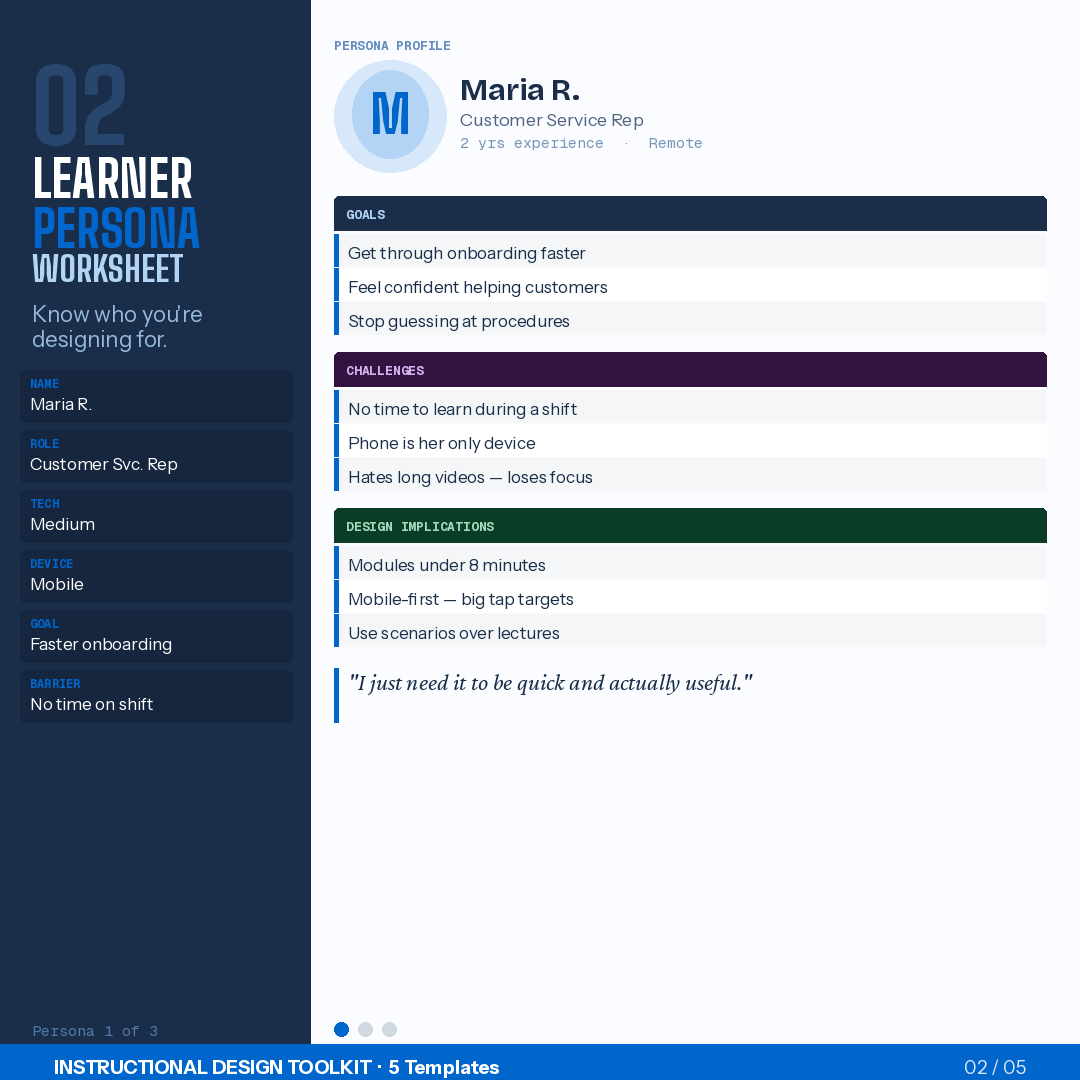
Learner PersonasBuild up to 3 detailed audience profiles covering demographics, motivations, challenges, learning barriers, fears, preferences, and design implications. Includes a persona comparison snapshot so you can spot conflicts and priorities at a glance. Comes with a "quote in their voice" prompt that keeps your design decisions grounded in real human needs.
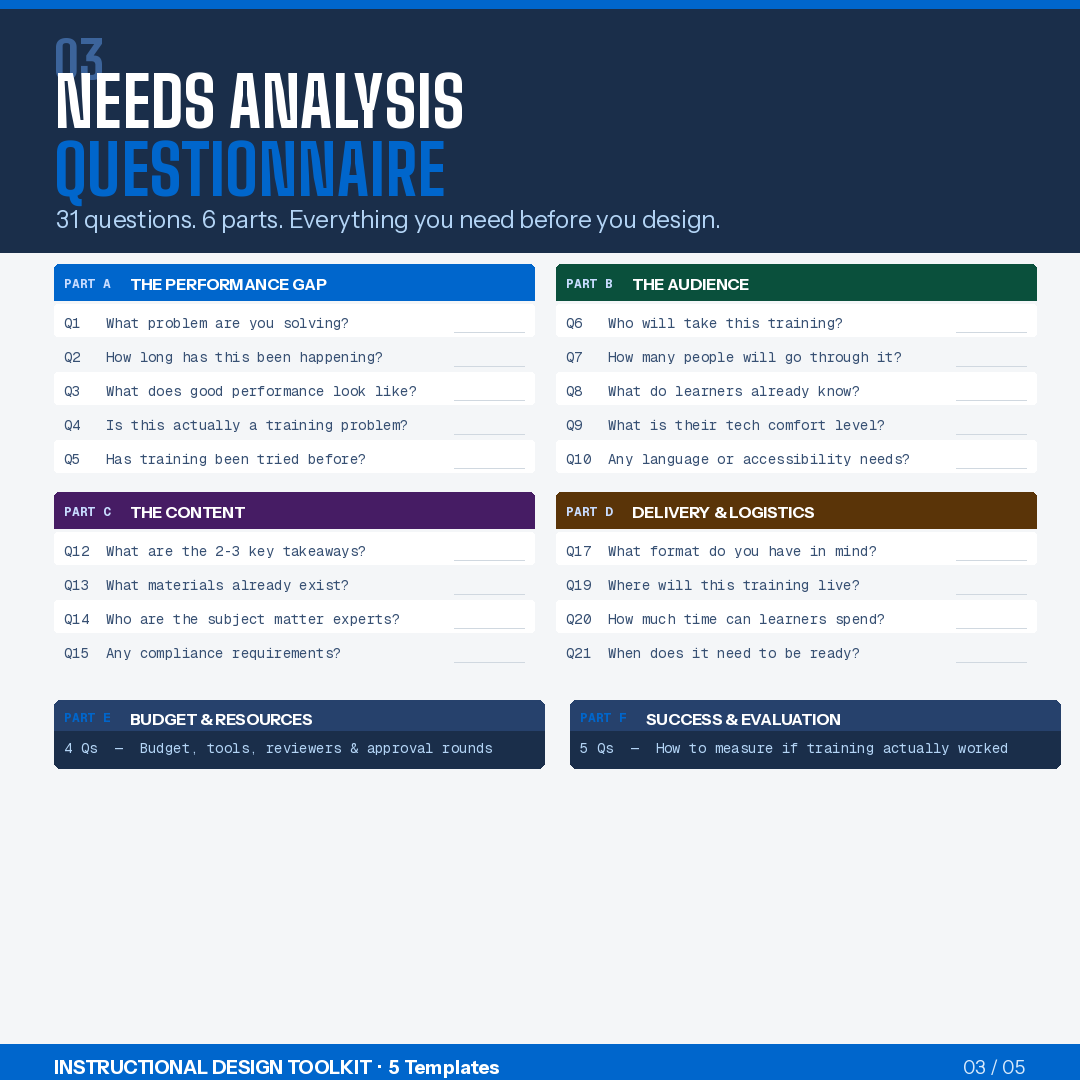
Needs Analysis31 structured questions across 6 categories the performance gap, the audience, the content, delivery and logistics, budget and resources, and success metrics. Walk into any stakeholder meeting with this open and walk out with everything you need to start designing. Includes a Kirkpatrick-aligned evaluation priority section so measurement gets baked in from the start, not bolted on at the end.
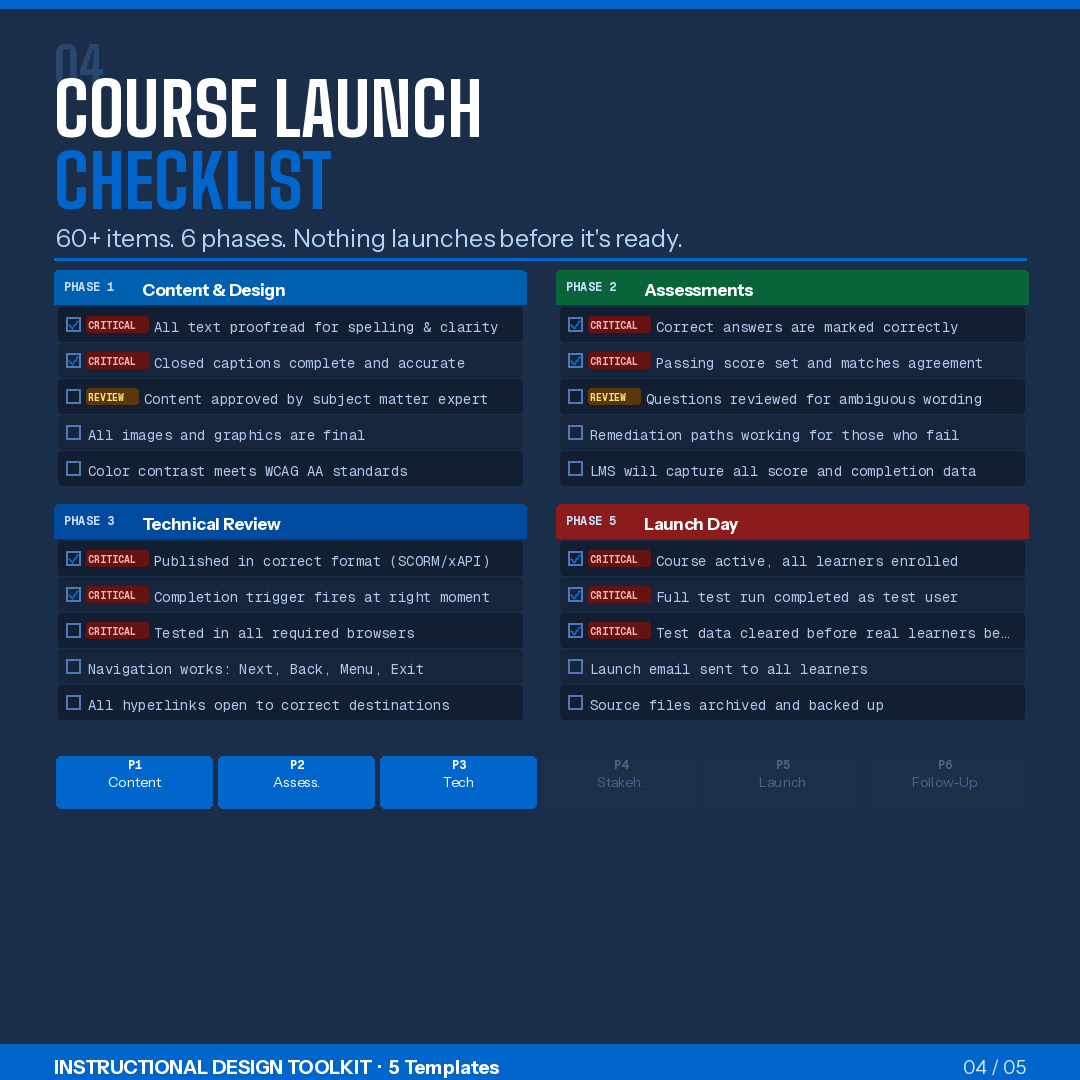
Launch Checklist60+ items across 6 phases: Content & Design, Accessibility, Technical, Media, LMS & Publishing, and Launch. Every item has an owner field and a status checkbox. Nothing gets missed. Nothing gets assumed. Includes a formal final sign-off block for the designer, SME, client, and LMS administrator.
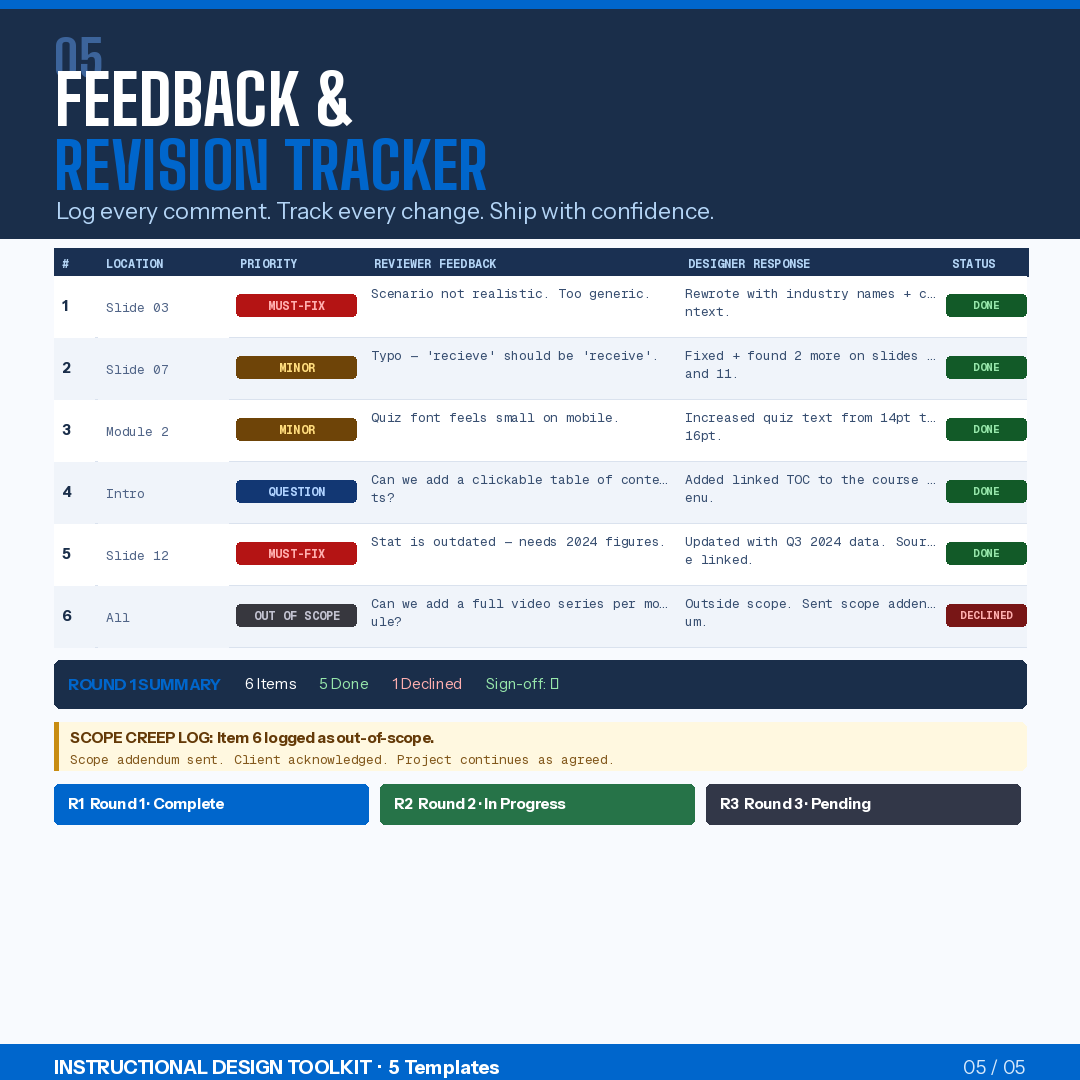
Feedback & RevisionsTrack up to 3 rounds of reviewer feedback with columns for location, priority, exact feedback, your response, and status. Includes a round summary row, a sign-off field per round, and a dedicated scope creep log so out-of-scope requests get documented professionally instead of ignored or silently absorbed.
Key features
5 fully structured tabscovering the entire design lifecycle
31-question needs analysisthe most thorough stakeholder intake you'll run
60+ launch checklist itemsso nothing slips through before go-live
3-round feedback trackerwith scope creep log included
Learner persona worksheetsfor up to 3 audience types with comparison snapshot
Fully editable every field is yours, every placeholder tells you what goes there
Works in Excel and Google Sheets— share, collaborate, export to PDF
Professional formattingyou can hand directly to a client
How to use it
Download and open in Excel, or import directly into Google Sheets
Start with the Needs Analysis tab on your first stakeholder call
Build yourLearner Personasbefore touching the storyboard
Use theCourse Outlinetab to align with your client before development begins
Hand theFeedback & Revisionstracker to reviewers at each round
You know what slows down a course build more than anything? Starting from a blank page. Chasing feedback across six email threads. Forgetting to check captions before launch. Rebuilding the same storyboard template you've made a dozen times before.
This toolkit fixes all of that.
TheInstructional Design Toolkitis a single, ready-to-use Excel and Google Sheets workbook that covers every stage of the course design process from your first client conversation to post-launch sign-off. Open it, fill it in, and stay organized from day one.
Who this is for
Freelance instructional designers managing client projects
In-house L&D teams building eLearning or instructor-led training
Corporate trainers who need a repeatable, professional system
Educators designing structured curriculum
Anyone who has ever lost a round of feedback in their inbox
What's inside: 5 battle-tested tabs
Course Outline & StoryboardEverything your course needs before a single slide gets built. Document your course overview, write learning objectives tied to Bloom's Taxonomy levels with assessment methods, map your full module plan with timing and asset notes, set your assessment and evaluation strategy, and build a screen-by-screen storyboard all in one place.
Learner PersonasBuild up to 3 detailed audience profiles covering demographics, motivations, challenges, learning barriers, fears, preferences, and design implications. Includes a persona comparison snapshot so you can spot conflicts and priorities at a glance. Comes with a "quote in their voice" prompt that keeps your design decisions grounded in real human needs.
Needs Analysis31 structured questions across 6 categories the performance gap, the audience, the content, delivery and logistics, budget and resources, and success metrics. Walk into any stakeholder meeting with this open and walk out with everything you need to start designing. Includes a Kirkpatrick-aligned evaluation priority section so measurement gets baked in from the start, not bolted on at the end.
Launch Checklist60+ items across 6 phases: Content & Design, Accessibility, Technical, Media, LMS & Publishing, and Launch. Every item has an owner field and a status checkbox. Nothing gets missed. Nothing gets assumed. Includes a formal final sign-off block for the designer, SME, client, and LMS administrator.
Feedback & RevisionsTrack up to 3 rounds of reviewer feedback with columns for location, priority, exact feedback, your response, and status. Includes a round summary row, a sign-off field per round, and a dedicated scope creep log so out-of-scope requests get documented professionally instead of ignored or silently absorbed.
Key features
5 fully structured tabscovering the entire design lifecycle
31-question needs analysisthe most thorough stakeholder intake you'll run
60+ launch checklist itemsso nothing slips through before go-live
3-round feedback trackerwith scope creep log included
Learner persona worksheetsfor up to 3 audience types with comparison snapshot
Fully editable every field is yours, every placeholder tells you what goes there
Works in Excel and Google Sheets— share, collaborate, export to PDF
Professional formattingyou can hand directly to a client
How to use it
Download and open in Excel, or import directly into Google Sheets
Start with the Needs Analysis tab on your first stakeholder call
Build yourLearner Personasbefore touching the storyboard
Use theCourse Outlinetab to align with your client before development begins
Hand theFeedback & Revisionstracker to reviewers at each round