 Image 1 of 3
 Image 2 of 3
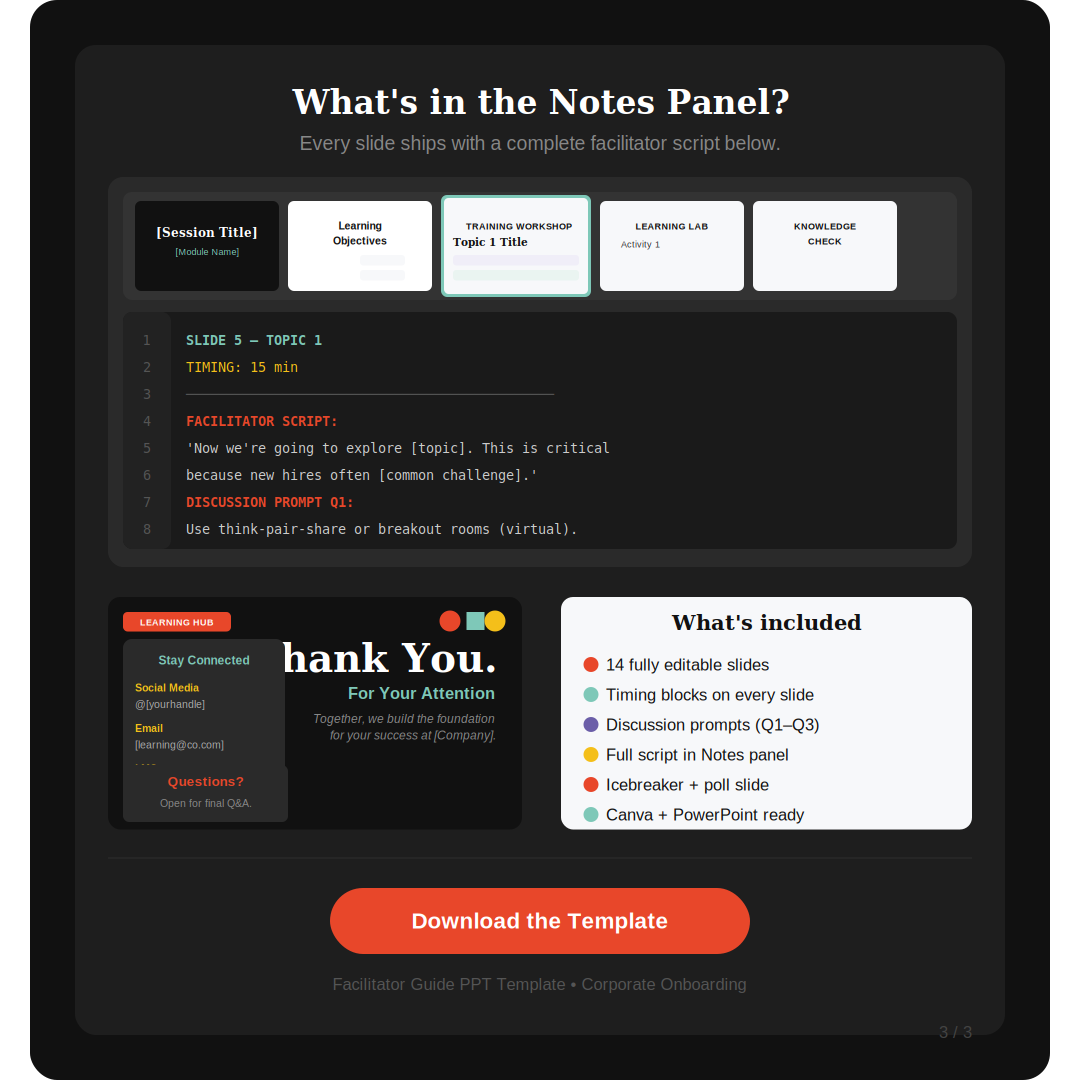 Image 3 of 3
Deliver polished, professional training sessions from day one — no design experience required.
This fully editable Facilitator Guide PowerPoint Template is built for L&D professionals, HR teams, instructional designers, and corporate trainers who need a ready-to-use slide deck that works for both in-person and virtual instructor-led training (ILT/vILT).
What's inside this 14-slide template:
Every slide is purposefully designed using instructional design best practices — just replace the bracketed placeholder text with your content and you're ready to facilitate.
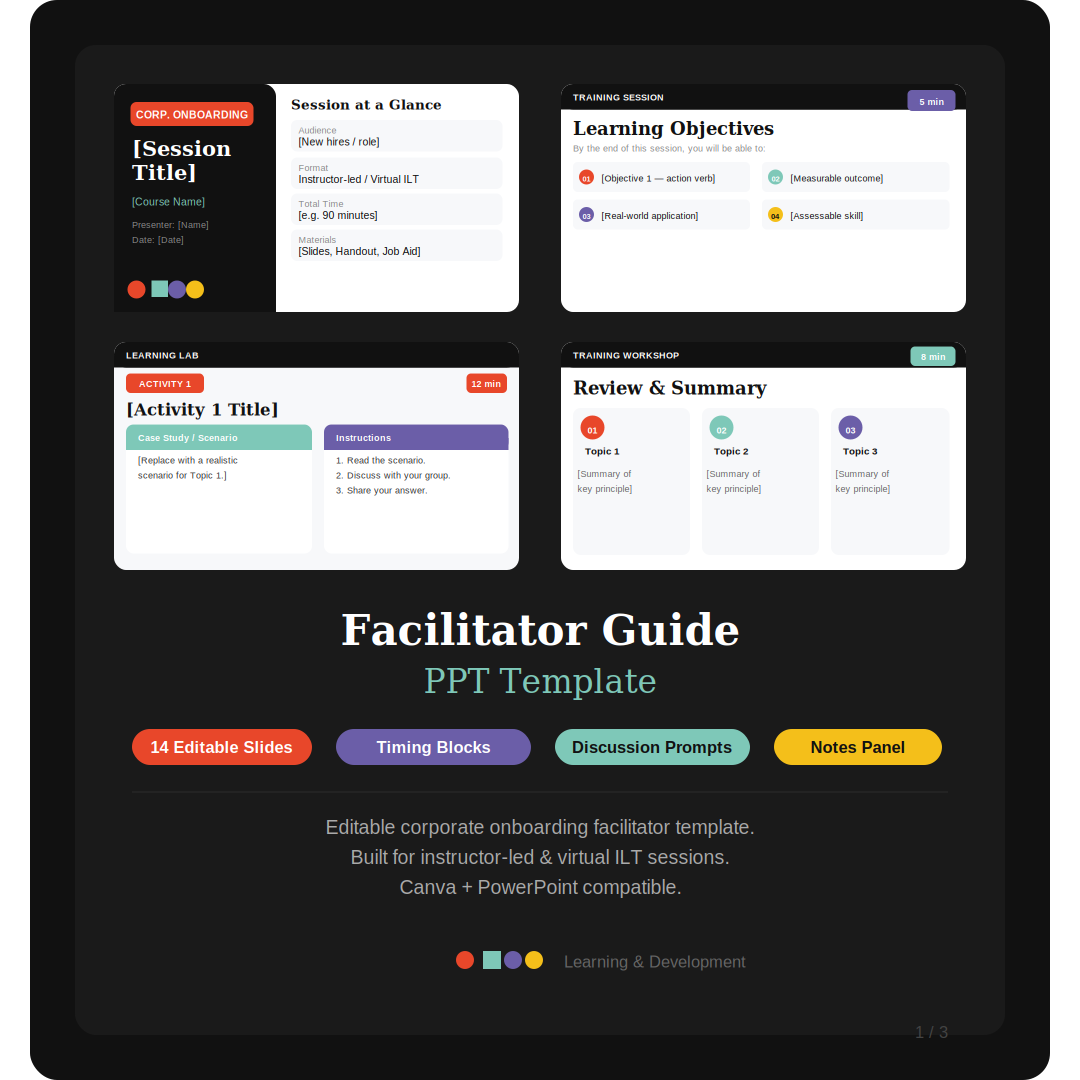
How-to-Use Slide — detailed setup guide for the facilitator before session delivery
Title / Session Cover — session info, presenter details, and session-at-a-glance sidebar
Learning Objectives — 4 color-coded, Bloom's Taxonomy-aligned objective cards
Icebreaker + Pre-Session Poll — ready-made icebreaker prompts and 4-option poll slide
3 Topic Content Slides — core concepts, key takeaway box, and discussion prompt per topic
3 Activity Slides — case study scenario, step-by-step instructions, with debrief guide in Notes
Knowledge Check / Quiz Slide — 4-option quiz with a follow-up discussion prompt
Review & Summary Slide — three topic takeaway cards for synthesis
Final Assessment & Next Steps — exit ticket + 4 learner action steps + resources
Closing / Thank You Slide — Q&A prompt, contact info, stay-connected card
Every single slide includes: ✅ Timing block (suggested time per slide) ✅ Full facilitator script in the PowerPoint Notes panel ✅ Transition cues, watch-outs, and debrief questions in Notes ✅ Discussion prompts labeled Q1–Q3 ✅ Canva + PowerPoint compatible (1080×1080 & 16:9 widescreen)
Perfect for: Corporate onboarding programs · New hire training · Soft skills workshops · Leadership development sessions · Compliance training · HR onboarding · Professional development summits · Virtual ILT via Zoom, Microsoft Teams, or Webex
Deliver polished, professional training sessions from day one — no design experience required.
This fully editable Facilitator Guide PowerPoint Template is built for L&D professionals, HR teams, instructional designers, and corporate trainers who need a ready-to-use slide deck that works for both in-person and virtual instructor-led training (ILT/vILT).
What's inside this 14-slide template:
Every slide is purposefully designed using instructional design best practices — just replace the bracketed placeholder text with your content and you're ready to facilitate.
How-to-Use Slide — detailed setup guide for the facilitator before session delivery
Title / Session Cover — session info, presenter details, and session-at-a-glance sidebar
Learning Objectives — 4 color-coded, Bloom's Taxonomy-aligned objective cards
Icebreaker + Pre-Session Poll — ready-made icebreaker prompts and 4-option poll slide
3 Topic Content Slides — core concepts, key takeaway box, and discussion prompt per topic
3 Activity Slides — case study scenario, step-by-step instructions, with debrief guide in Notes
Knowledge Check / Quiz Slide — 4-option quiz with a follow-up discussion prompt
Review & Summary Slide — three topic takeaway cards for synthesis
Final Assessment & Next Steps — exit ticket + 4 learner action steps + resources
Closing / Thank You Slide — Q&A prompt, contact info, stay-connected card
Every single slide includes: ✅ Timing block (suggested time per slide) ✅ Full facilitator script in the PowerPoint Notes panel ✅ Transition cues, watch-outs, and debrief questions in Notes ✅ Discussion prompts labeled Q1–Q3 ✅ Canva + PowerPoint compatible (1080×1080 & 16:9 widescreen)
Perfect for: Corporate onboarding programs · New hire training · Soft skills workshops · Leadership development sessions · Compliance training · HR onboarding · Professional development summits · Virtual ILT via Zoom, Microsoft Teams, or Webex